Skip to the main content.
Book a Meeting Online Learning

1 min read

Show Off Your 2Win! Certification on LinkedIn

Show Off Your 2Win! Certification on LinkedIn

Learn how to add your 2Win! Certification badge to your LinkedIn profile.

Part 1: Locate Certification Badge in your email & copy the URL:


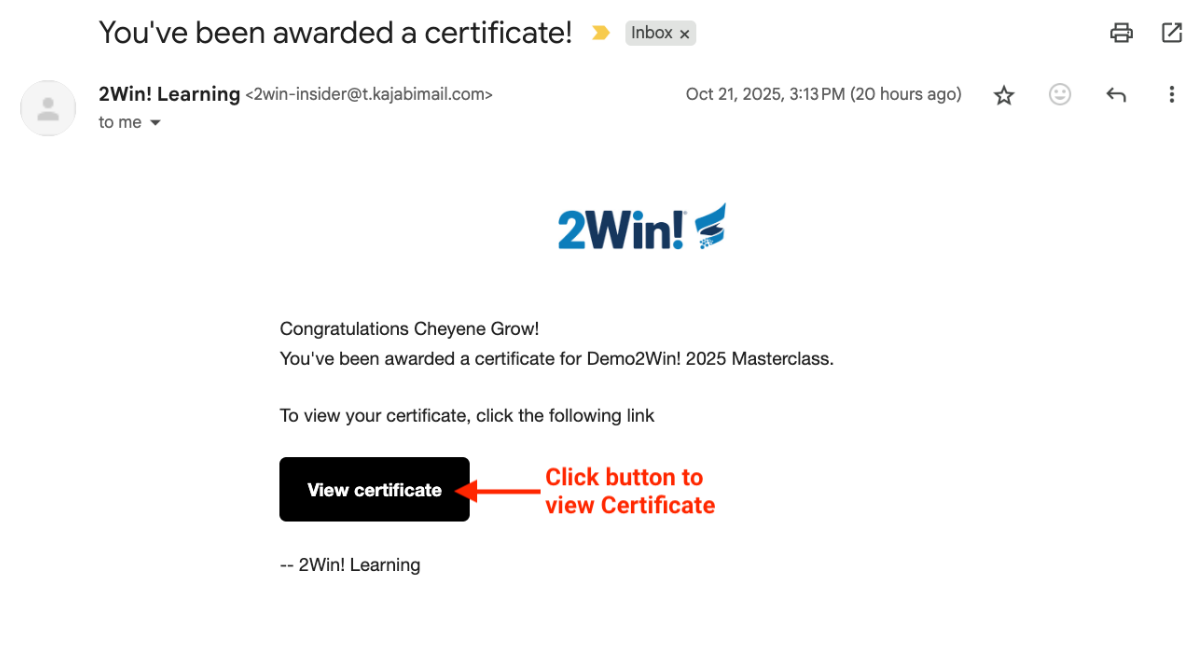
Step 1: Locate “You’ve been awarded a Certificate” email


LinkedIn Certificate Step 1.1

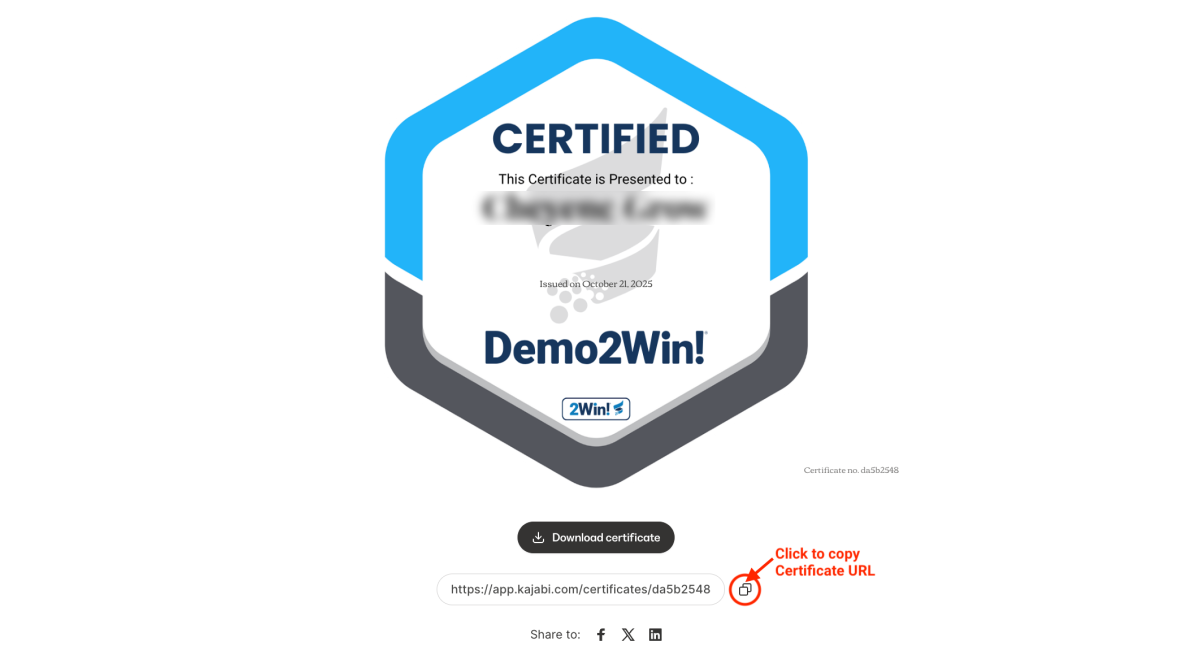
Step 2: Click on “View Certificate” button


Step 3: Copy the certificate URL

LinkedIn Certificate Step 1.2


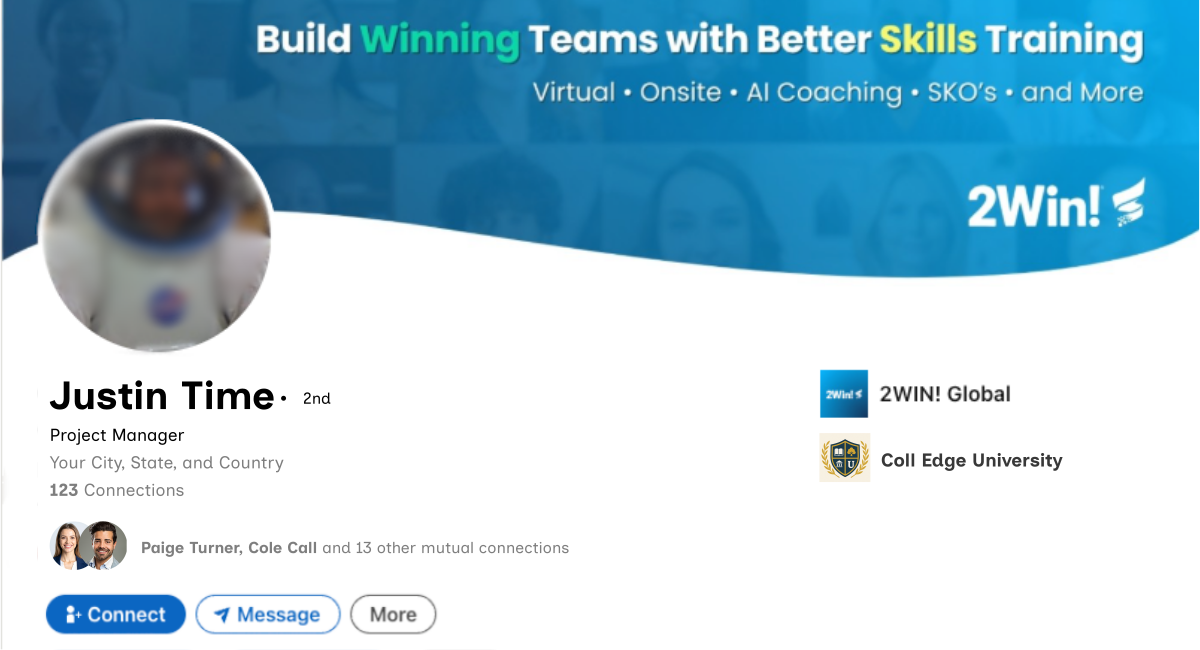
Step 4: Go to your LinkedIn profile


LinkedIn Certificate Step 1.3


Part 2: Add Licenses & Certifications section to your LinkedIn profile. 

Note: If you already have the Licenses and Certifications section enabled on your profile, usually under the Education section, proceed to Part 3. 


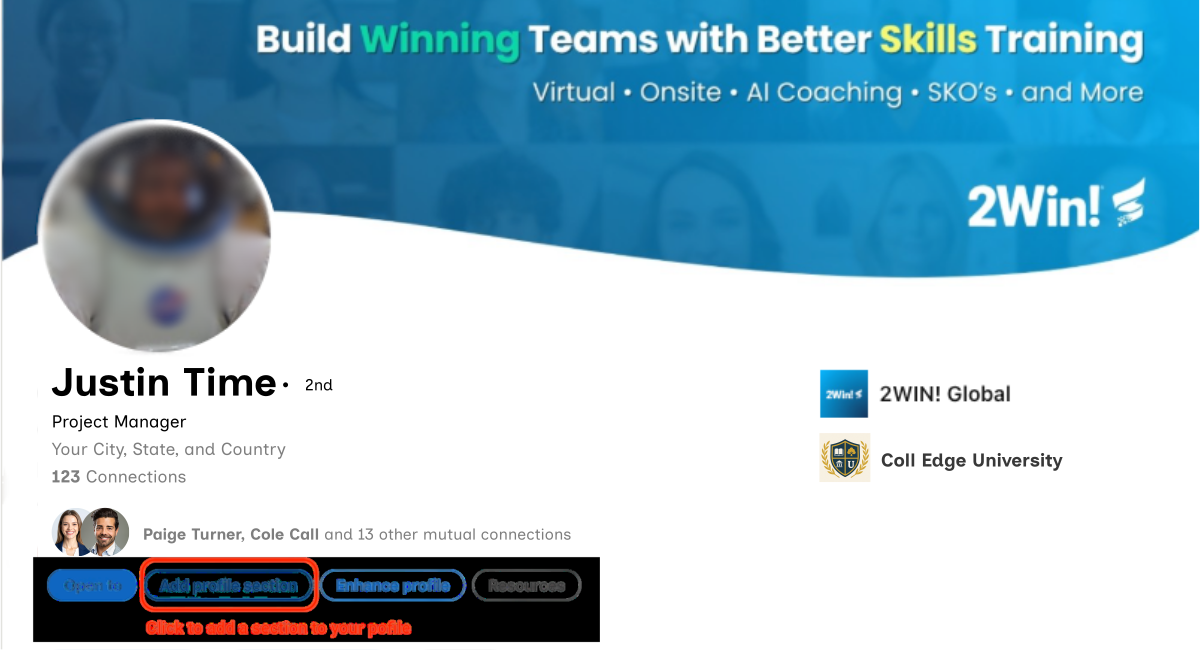
Step 1: On your LinkedIn profile, click “Add profile section” button


LinkedIn Certificate Step 2.1


Step 2: Choose Add Licenses & Certifications 


LinkedIn Certificate Step 3.1


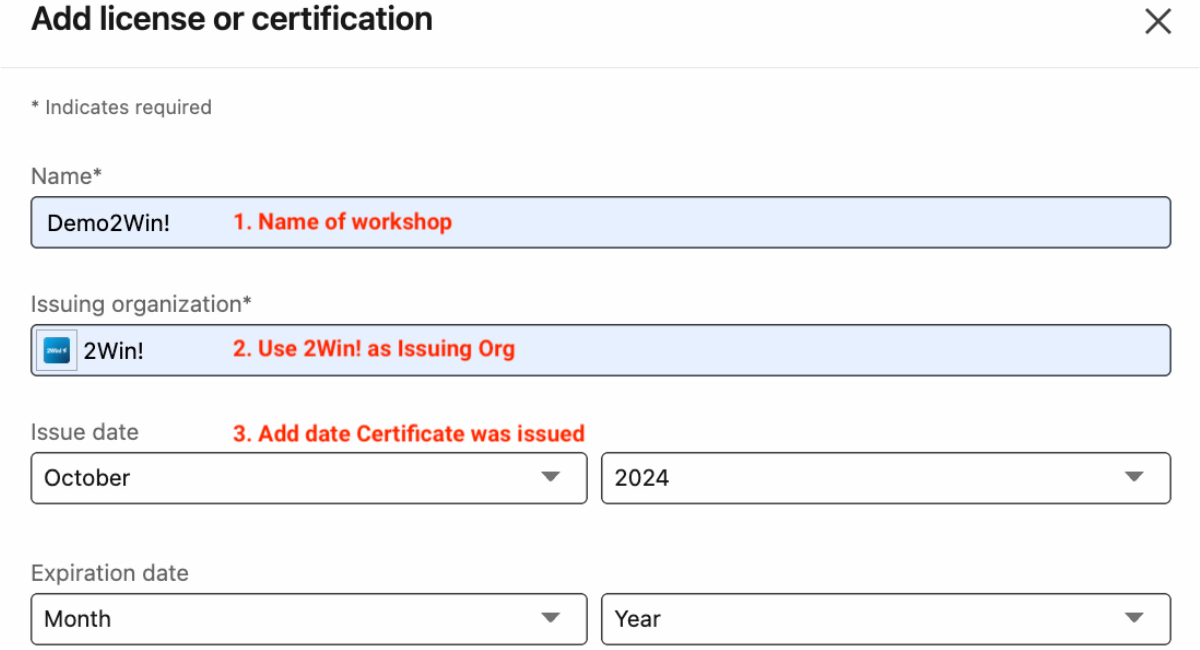
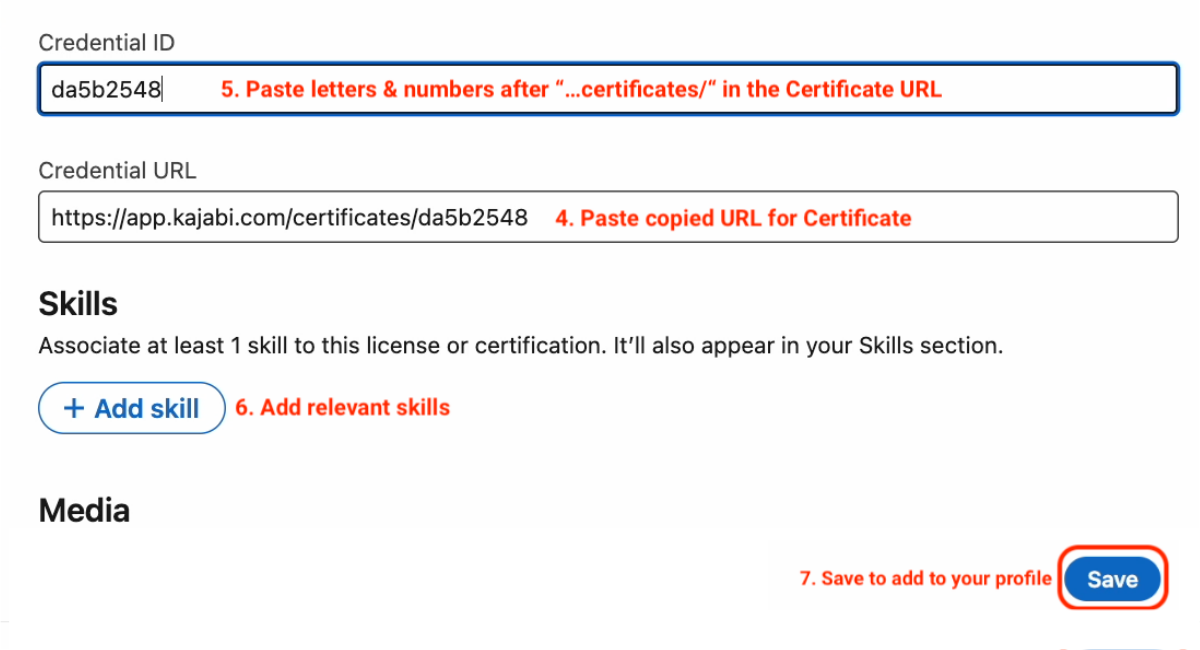
Step 3: Fill out & save form

Note: Be sure to enter the name of the workshop you attended in the Name* field. This example shows Demo2Win!, but you may be sharing a certificate from a different workshop such as Discovery2Win!, Winning with Executives, or any other workshop. 


LinkedIn Certificate Step 1.2-1

LinkedIn Certificate Step 1.2-2

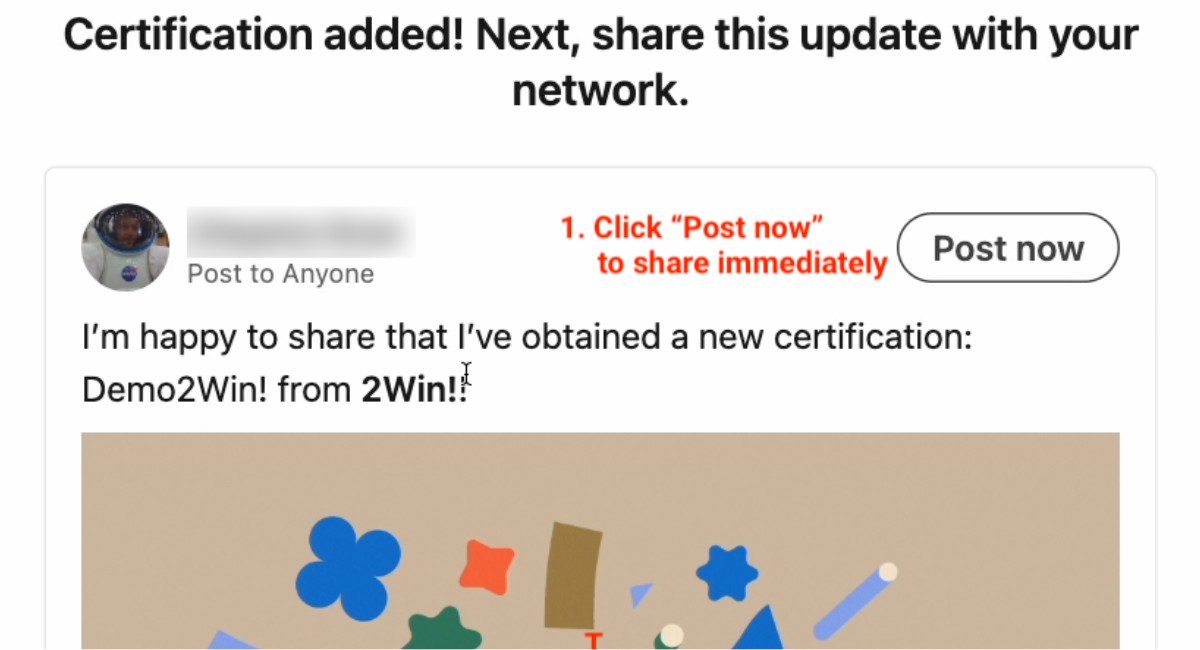
Step 4: Share update with network 


8

Linkedin Cert  (2)

Part 3: If the Certifications & Licenses section is already in your profile (Skipping Part 2):


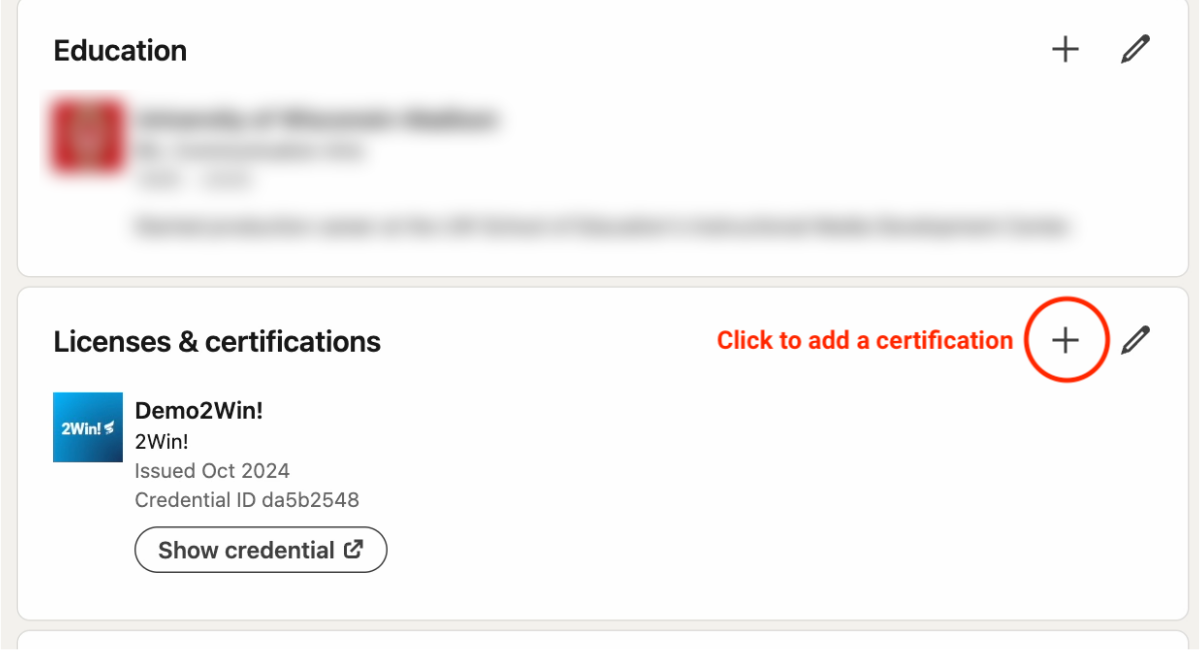
Step 1: Navigate to the Licenses & certification section and click the Plus symbol to add a new certification


LinkedIn Certificate Step 3.1


Step 2: Fill out & save form

Note: Be sure to enter the name of the workshop you attended in the Name* field. This example shows Demo2Win!, but you may be sharing a certificate from a different workshop such as Discovery2Win!, Winning with Executives, or any other workshop.


LinkedIn Certificate Step 1.2-1

LinkedIn Certificate Step 1.2-2 Step 3: Share update with network 


8

Linkedin Cert  (2)


You May Also Like

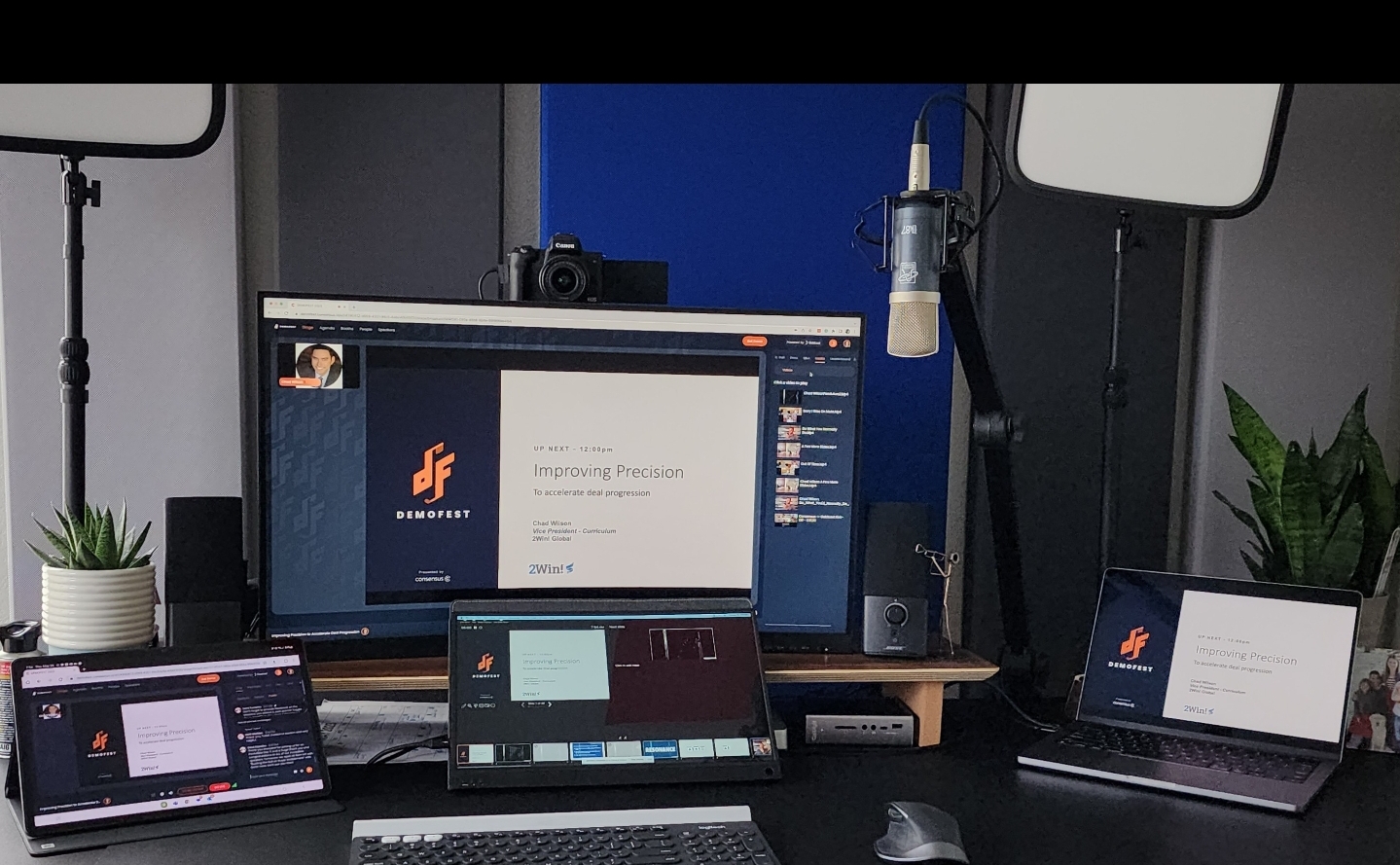
2Win's Gear Recommendations for Creating an Impactful Home Office Set-Up

2Win's Gear Recommendations for Creating an Impactful Home Office Set-Up

Equip your home office for success with 2Win's gear recommendations for audio, lighting, webcams, and more. Boost your professionalism and create an...
Read More
Accelerate your Deal Velocity with a Modern Demo Process

Accelerate your Deal Velocity with a Modern Demo Process

Accelerate your deal velocity with learnings from extensive 2Win research, so you can modernize your deal process and close more business.

Read More
How to Use Your Education Benefit for 2Win’s Training Programs

How to Use Your Education Benefit for 2Win’s Training Programs

Learn how to maximize your education benefit and get reimbursed for 2Win's training programs. | 2Win! Global Presales and Demo Training

Read More